

On this page 19
AI coding tools have moved well beyond autocomplete.
In 2026, the serious products can inspect repositories, search code, edit multiple files, run shell commands, execute tests, fix failures, work asynchronously in cloud environments, and hand you a pull request instead of a snippet.
That means the useful comparison is no longer:
> “Which tool writes the nicest function?”
It is:
> Which coding agent fits the way your team actually develops software—editor-first, terminal-first, GitHub-first, local, cloud, highly supervised, or highly autonomous?
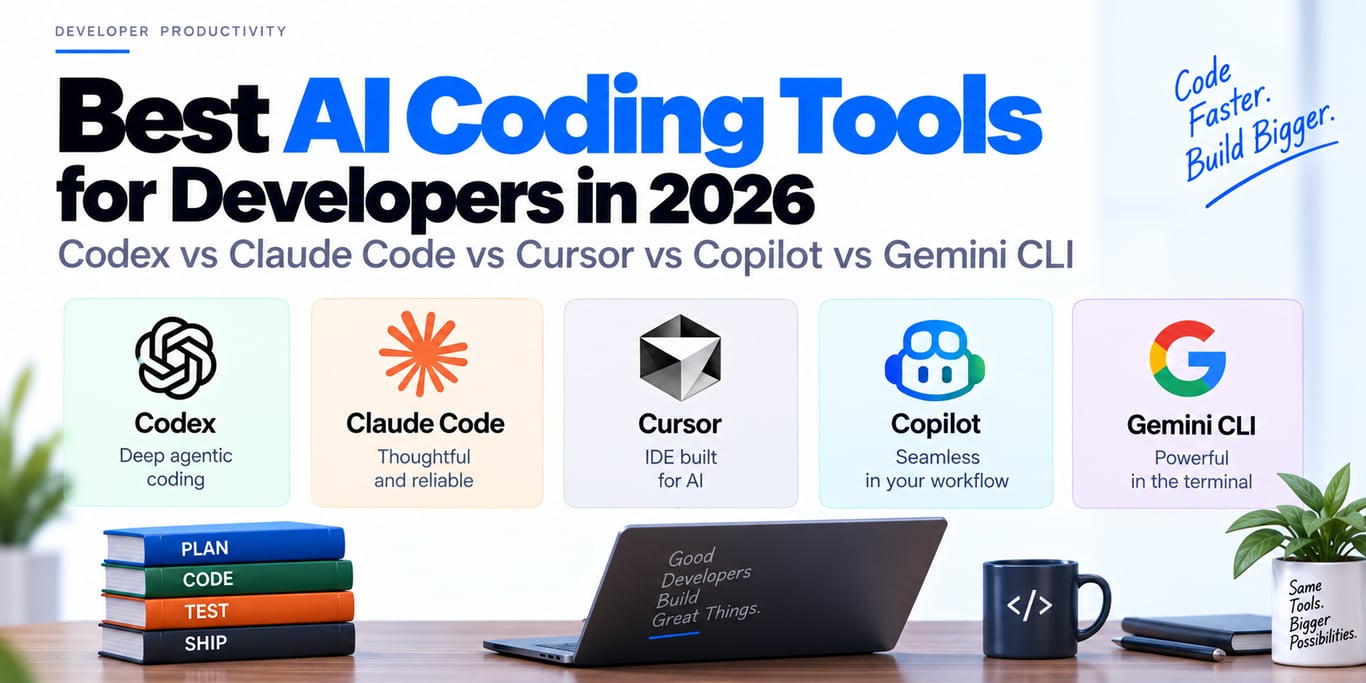
The five tools worth understanding are OpenAI Codex, Anthropic Claude Code, Cursor, GitHub Copilot, and Google Gemini CLI. They overlap, but their center of gravity is different.
Quick comparison
| Tool | Best fit | Main surface | Agentic execution | Cloud/asynchronous work | Strongest differentiator |
|---|---|---|---|---|---|
| OpenAI Codex | Deep coding-agent workflows across terminal, IDE, app, and cloud | CLI / IDE / app / web | Strong | Yes | Multiple surfaces around one coding-agent workflow |
| Claude Code | Terminal-first repository work and long coding sessions | Terminal | Strong | Primarily local/terminal workflow | Focused CLI agent with deep codebase interaction |
| Cursor | Editor-first developers who want an agent inside the IDE | AI editor + cloud agents | Strong | Yes | Tight editor UX, model choice, repo tools, Projects |
| GitHub Copilot | Teams centered on GitHub issues, PRs, reviews, IDEs, and enterprise policy | GitHub / IDE / app / CLI | Strong | Yes | Native GitHub lifecycle integration |
| Gemini CLI | Open terminal workflows, scripting, MCP, and Google/Gemini ecosystem | Terminal | Strong | Local CLI workflow | Extensible CLI with shell, web, MCP, memory, skills |
There is no universal winner. The best choice depends on where you want the agent to live and how much autonomy you are willing to give it.
1. OpenAI Codex: one coding agent across local and cloud surfaces
Codex is no longer just a code-generation model name. It is a coding-agent product with several surfaces.
The current Codex project supports:
Codex CLI
Codex IDE integration
Codex app
Codex Web / cloud agent
The CLI runs on your machine and can inspect, modify, and execute code in your working environment. The IDE integration brings the same style of agent workflow into editors, while Codex Web handles cloud-based coding tasks.
Where Codex is strong
Codex is a good fit when you want the agent to handle substantial repository work such as:
- debugging a failing feature
- implementing a multi-file change
- exploring an unfamiliar repository
- running tests and iterating on failures
- refactoring across modules
- preparing changes for review
Why the multiple surfaces matter
A developer may start a task locally:
codex
→ inspect repo
→ reproduce issue
→ patch code
→ run tests
and use cloud workflows for longer asynchronous tasks.
That gives teams a consistent agent concept across interactive and delegated work instead of treating terminal, IDE, and cloud agents as unrelated products.
Approvals and sandboxing
Coding agents should not get unlimited machine access by default.
Codex’s local workflow supports approval/sandbox controls around edits and command execution. That matters because the same capability that lets an agent run your test suite can also run a destructive command if permissions are too broad.
The important architectural principle is not specific to Codex:
> Give the coding agent enough access to verify its work, but keep filesystem, shell, network, and credential boundaries explicit.
2. Claude Code: terminal-first agentic development
Claude Code is Anthropic’s coding agent designed around the terminal.
The basic workflow is intentionally direct:
cd project
claude
From there, the agent can work with the repository and help with coding tasks without forcing you into a separate editor.
Where terminal-first development shines
A terminal agent fits developers who already think in terms of:
repository
shell
build command
test command
git diff
rather than an IDE-centric chat panel.
This is especially useful for:
- backend services
- infrastructure repositories
- command-line projects
- debugging build failures
- remote/SSH development
- large refactors where verification matters as much as code generation
The real value is the loop
A useful coding agent does not stop after producing code.
The strong loop is:
inspect
→ edit
→ run checks
→ observe failure
→ correct
→ rerun
That closed feedback loop is much more valuable than one-shot code completion.
When Claude Code is a natural fit
Choose a terminal-first tool when your normal development workflow already lives there and you do not want the AI interface to become the center of your editor.
If your team lives inside a rich visual IDE workflow, Cursor or Copilot may feel more natural.
3. Cursor: an AI-native editor with increasingly agentic workflows
Cursor’s center of gravity is the editor.
Its Agent can:
- search the codebase
- edit multiple files
- run terminal commands
- inspect errors
- iterate on changes
- use web and other tools
Cursor’s documentation describes Agent as a combination of:
instructions
+ tools
+ chosen model
Cursor then tunes the harness around the models it supports.
Why editor integration matters
For interactive coding, the developer can see:
- the current file
- diffs
- errors
- agent messages
- terminal activity
without switching contexts.
That makes Cursor particularly strong for “pair with the agent while I work” development.
Projects and delegated work
Cursor also supports larger agentic workflows where a coordinator can plan work and delegate to other agents, as well as cloud-agent surfaces for asynchronous work.
That means it now spans more than local editor assistance.
Model choice
Cursor lets developers choose among supported frontier models instead of coupling the whole editor experience to one model vendor.
The trade-off is that the harness remains Cursor’s product layer.
You are choosing:
Cursor's editor + agent tools + model orchestration
not simply “Claude inside an editor” or “OpenAI inside an editor.”
4. GitHub Copilot: the strongest GitHub-native development workflow
GitHub Copilot has expanded from autocomplete into a broad developer-agent platform.
Current surfaces include:
IDE agent mode
GitHub cloud agent
Copilot app
Copilot CLI
code review
GitHub website workflows
SDK/custom agents
IDE agent mode
Inside supported IDEs, Agent mode can decide which files to change, edit them, run commands, and iterate when something fails.
This is much closer to a coding agent than traditional inline completion.
Cloud agent
The GitHub cloud agent can be assigned work through issues or agent prompts, work on a branch, and create a pull request for review.
That is valuable because the workflow stays inside the same system that already owns:
- issues
- branches
- pull requests
- review comments
- repository permissions
GitHub-native team workflows
For organizations already centered on GitHub, the advantage is operational rather than purely model quality.
A task can flow like this:
Issue
  ↓
Copilot agent
  ↓
branch / implementation
  ↓
PR
  ↓
code review
  ↓
human merge
No extra coordination product is required.
Third-party coding agents
GitHub also supports third-party coding agents such as OpenAI Codex and Anthropic Claude in GitHub workflows.
That makes GitHub increasingly a coordination layer for coding agents, not only one assistant.
5. Gemini CLI: extensible terminal agent for the Gemini ecosystem
Gemini CLI brings Gemini-powered workflows directly into the terminal.
The current CLI supports capabilities such as:
- file operations
- shell execution
- web fetch/search
- MCP servers
- persistent context/memory files
- skills/extensions
- resumable sessions
The tool can be installed through npm and has stable, preview, and nightly release channels.
Strong fit
Gemini CLI is attractive when you want:
terminal-first AI
Google/Gemini models
scriptable CLI workflows
MCP integrations
custom skills/extensions
web + filesystem tooling
Sandbox support
The CLI documentation also describes container-based sandbox execution for stronger isolation.
That is important because terminal agents often need the widest local permissions of any coding assistant.
Why open terminal workflows matter
A CLI can fit neatly into existing automation:
CI scripts
shell pipelines
remote servers
local dev environments
repeatable command workflows
rather than forcing every interaction through an editor UI.
Autocomplete vs agent mode
One of the biggest differences between coding tools is assistive vs agentic use.
Assistive
You remain the main executor.
write code
→ AI suggests completion
→ you accept/edit
Best for:
- small changes
- local reasoning
- staying in full control
Agentic
You provide an objective and the tool executes a loop.
goal
→ inspect repo
→ edit files
→ run commands
→ fix errors
→ report result
Best for:
- migrations
- bug fixes
- repetitive edits
- broad codebase tasks
Agentic mode creates more leverage—but also more need for review, permission boundaries, and verification.
Local agent vs cloud agent
This is another major architectural choice.
Local agent
Runs against your local workspace.
Advantages:
- immediate access to your current uncommitted state
- easy interaction with local tools
- fast steering
Risks:
- potentially broad access to your filesystem and credentials
- long tasks depend on your machine staying available
Cloud agent
Runs in an isolated remote environment and usually works through branches/PRs.
Advantages:
- asynchronous execution
- parallel tasks
- isolated environment
- easier delegation
Trade-offs:
- environment setup must be reproducible
- secrets and dependencies need controlled provisioning
- remote state may differ from your local uncommitted work
Teams often need both.
Repository instructions matter more than people think
Modern coding agents perform better when the repository gives them durable context.
Examples include:
AGENTS.md
project instructions
repo rules
custom Copilot instructions
Cursor rules/skills
CLAUDE.md-style context
GEMINI.md-style context
The exact filename varies by tool.
The principle does not:
> Put stable repository knowledge in versioned project context instead of re-explaining it in every prompt.
Useful content includes:
- build/test commands
- architecture boundaries
- important invariants
- style conventions
- forbidden operations
- key directories
Avoid turning instruction files into giant handbooks the model must reread for every tiny task.
The best coding agent needs real tools
A coding agent becomes dramatically more useful when it can verify its own work.
The minimum serious toolset often includes:
read files
search repository
edit files
run shell commands
run tests
inspect git diff
Without execution, the agent is still mostly guessing whether its change works.
For mature coding systems, additional capabilities may include:
- browser/computer use
- issue trackers
- CI results
- code search/navigation
- MCP integrations
- isolated sandboxes
Tool access should be scoped
Do not give a coding agent production credentials merely because it needs to run local tests.
Separate permissions:
repository write
local shell
network access
cloud credentials
production deploy
secrets
A good development environment lets the agent do ordinary engineering work without granting unrelated privilege.
Verification should decide whether work is complete
The most important question is not:
Did the agent say it finished?
It is:
Did the acceptance checks pass?
Useful checks include:
- unit tests
- integration tests
- type checks
- linters
- builds
- targeted reproduction steps
- diff review
A coding agent should ideally finish with evidence such as:
changed files
commands executed
tests passed
remaining limitations
not only “Done.”
How to evaluate coding tools fairly
Do not compare them by asking all five to build a todo app.
Use real repository tasks.
A strong evaluation set might contain:
bug with failing test
multi-file API change
frontend/backend contract update
refactor with behavior preserved
new feature with existing architecture constraints
large-repo search task
migration requiring test fixes
Measure:
| Metric | Why it matters |
|---|---|
| Task success | Did the requested change actually work? |
| Test pass rate | Is the implementation verifiable? |
| Unnecessary edits | Did it disturb unrelated code? |
| Tool efficiency | Did it search/execute intelligently? |
| Human correction | How much cleanup was needed? |
| Latency | How long did useful work take? |
| Cost/usage | Can the workflow scale economically? |
Run more than one trial for nondeterministic tasks.
Which tool fits which workflow?
Choose Codex when
- you want a strong coding-agent workflow spanning CLI, IDE, app, and cloud
- you frequently delegate substantial repository tasks
- OpenAI’s coding ecosystem is already part of your stack
Choose Claude Code when
- you prefer terminal-first development
- repository reasoning and iterative shell/test loops are central
- you want the AI experience to stay close to Unix-style development
Choose Cursor when
- your primary workflow is inside an AI-native editor
- interactive diff review and model flexibility matter
- you want local agent work plus larger Project/cloud workflows
Choose GitHub Copilot when
- GitHub is already the center of your team workflow
- issues → agent → PR → review is a natural process
- enterprise policy and repo-level governance matter
Choose Gemini CLI when
- you want a flexible terminal agent in the Gemini ecosystem
- MCP, shell automation, web tools, and extensibility matter
- you value a CLI that fits scripting and remote workflows
You may need more than one tool
A team can reasonably use:
Cursor for interactive editor work
+
Codex or Claude Code for deep terminal tasks
+
Copilot cloud agent for GitHub issue delegation
But do not deploy five tools just because they exist.
Every additional agent creates:
- another permission surface
- another instruction format
- another billing model
- another place for project context
Standardize where possible.
Common mistakes
Choosing from one benchmark
Coding-agent performance depends heavily on the harness, tools, environment, and repository—not only the model.
Giving full autonomy before trust is earned
Start with reviewable changes and bounded permissions.
No reproducible dev environment
Cloud agents cannot reliably build a repo whose setup only exists in one developer’s laptop history.
No tests
An agent with no verification loop will confidently ship broken changes.
Huge repository instruction files
Stable context helps; giant context dumps can hurt.
Treating generated code as reviewed code
AI-created pull requests still require the same engineering standards as human ones.
Production/team checklist
Before standardizing on a coding agent, verify:
- It can understand your real repository size and language stack
- Build/test commands are reproducible
- Agent permissions are explicitly scoped
- Secrets are not exposed unnecessarily
- Changes are reviewable as normal diffs/PRs
- The agent can run verification, not only write code
- Repository instructions are versioned
- Cloud-agent environments reproduce dependencies reliably
- Usage/cost is observable
- Your team has a clear rule for what agents may merge/deploy automatically
Final takeaway
The best AI coding tool is the one that fits your engineering loop.
Codex is compelling when you want one coding-agent concept across local and cloud surfaces. Claude Code is a strong terminal-first workflow. Cursor is optimized around an AI-native editor experience. GitHub Copilot is deeply integrated with the GitHub development lifecycle. Gemini CLI provides a flexible, extensible terminal agent in the Google ecosystem.
Do not optimize for which demo looks most magical.
> Optimize for repository understanding, safe tool access, verification, review quality, and how naturally the agent fits your existing software-development workflow.
That is where coding agents actually save engineering time.
Official references
BUILDING AN AI PRODUCT?
Talk to Lofingo about custom autonomous AI agents, enterprise workflow automation, and scalable software systems.
EXPLORE AI SERVICES →