

On this page 39
The biggest mistake companies make with AI automation is starting from the tool instead of the work.
Teams buy an “AI agent platform,” connect a few apps, and then ask employees to find something useful to automate. That reverses the problem.
The better starting point is a recurring workflow with a clear owner, measurable outcome, known inputs, real handoffs, and enough repetition that improving it will matter.
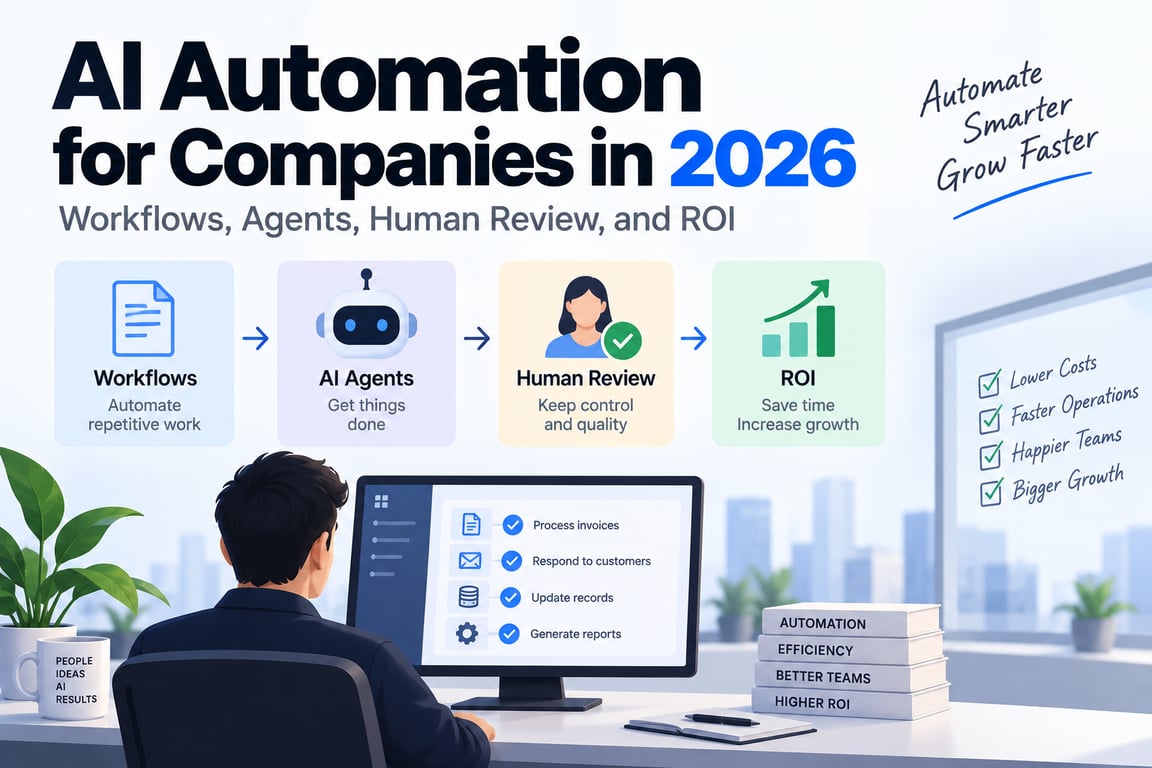
In 2026, OpenAI’s current enterprise guidance is explicitly workflow-first: choose one meaningful end-to-end process, define the outcome and guardrails, decide where people retain authority, connect only the approved context and tools, test representative cases, and measure whether the workflow actually improves cycle time, quality, cost, revenue, or risk.
That leads to a simple principle:
> Automate a business outcome—not a collection of AI features.
Start with one repeatable workflow
A strong automation candidate is not just “something employees do often.”
It should have enough structure to measure, but enough friction that improvement matters.
Good examples include:
qualify inbound leads
review supplier documents
triage support tickets
prepare weekly operating reports
investigate failed payments
reconcile invoices
summarize customer research
prepare contract review packages
Weak starting point:
“Give everyone an AI assistant and see what happens.”
That may improve individual productivity, but it does not create a reproducible operating capability.
Define the outcome before the automation
Suppose the workflow is:
review vendor onboarding package
Do not define success as:
AI produced a summary.
Define the actual business outcome:
A reviewer receives a complete vendor risk package
with missing evidence flagged,
policy exceptions identified,
and required approvals routed correctly.
Now you can measure:
cycle time
review accuracy
missing-item rate
human correction load
approval turnaround
These metrics are far more useful than “number of AI messages sent.”
Map the current workflow first
Before redesigning the process, understand what happens today.
Document:
trigger
inputs
systems used
people involved
decisions
handoffs
exceptions
approval points
final output
Example:
new supplier request
      ↓
procurement collects documents
      ↓
finance checks tax/bank details
      ↓
security reviews questionnaire
      ↓
legal checks contract
      ↓
approver decides
This reveals which parts are deterministic, which require interpretation, and which require authority.
There are three different automation layers
Companies often use the word “agent” for all AI automation, but the architecture should distinguish three modes.
1. Deterministic automation
Rules decide what happens.
if invoice total > threshold:
    route_to_manager()
Use this when the rule is known.
2. LLM-powered workflow step
The overall workflow is fixed, but a model handles one difficult interpretation task.
new support ticket
→ LLM classifies issue
→ code routes to correct queue
3. Agent
The model controls parts of the workflow dynamically.
investigate vendor risk
→ choose which systems to query
→ inspect evidence
→ request missing data
→ adapt plan
→ prepare recommendation
These three can coexist in the same workflow.
Use deterministic code whenever the next step is already known
If the process says:
approved invoice
→ schedule payment
there is no benefit in asking an LLM whether scheduling payment is the next step.
The model should be used for ambiguity and interpretation, not to replace ordinary control flow.
This lowers:
- cost
- latency
- variance
- testing burden
A mature AI automation architecture is usually hybrid, not agent-everything.
Use an LLM step when the workflow is fixed but the input is messy
Examples:
classify email intent
extract contract clauses
summarize incident evidence
map free-text request to known category
Architecture:
input
→ LLM structured output
→ deterministic validation
→ normal workflow continues
This can produce enormous value without introducing autonomous execution.
Use an agent when the path is genuinely adaptive
Agents are appropriate when the next step depends on what is discovered.
Examples:
investigate service outage
research account opportunity
resolve complex support issue
reconcile inconsistent records
The agent may need to decide:
which tool next?
which evidence is missing?
should I retry?
do I need another specialist?
is the goal complete?
That is where model-directed workflow control earns its complexity.
Define what AI may do, may prepare, and must not own
OpenAI’s current enterprise workflow guidance recommends making AI/human boundaries explicit.
A practical responsibility table can look like:
| Activity | AI role |
|---|---|
| Read approved documents | May do |
| Summarize evidence | May do |
| Draft customer response | May prepare for review |
| Approve large refund | Human owns |
| Change access permissions | Human/security policy owns |
| Delete customer data | Human approval + deterministic controls |
This is better than a vague instruction such as:
“Use good judgment.”
Authority should be designed, not implied
For every connected system, define whether the automation may:
read
draft
create
update
send
approve
delete
A support agent may need:
read order
read invoice
create ticket note
but not:
delete user
change billing plan
issue unlimited refunds
Least privilege applies to AI exactly as it applies to humans and services.
Use narrow business tools
Bad agent tool:
call_internal_api(url, method, body)
Better tools:
get_invoice(invoice_id)
create_refund_proposal(invoice_id, reason)
update_ticket_status(ticket_id, status)
Narrow tools are easier to:
- understand
- authorize
- test
- audit
- approve
They also reduce the chance that prompt injection turns a broad capability into unintended behavior.
Keep source-of-truth systems authoritative
An agent may reason about:
customer status
inventory
policy
payments
but should not invent those facts from memory.
Define authoritative sources:
payment state → billing system
customer record → CRM
policy → approved policy repository
inventory → ERP/database
The AI layer coordinates and interprets. Existing systems continue to own business truth.
Human review should happen at meaningful boundaries
Do not add human approval after every harmless step.
That creates review fatigue and destroys automation value.
Use human checkpoints for things such as:
high-value financial action
external legal communication
irreversible deletion
permission change
low-confidence exception
policy ambiguity
The system should present the reviewer with the exact proposed action and evidence.
Bad approval:
“Approve AI action?”
Better:
“Approve refund of ₹48,200 for invoice INV-204 because duplicate payment PAY-882 was confirmed?”
Human handoff must preserve context
When AI stops, the human should not have to restart the process.
A good handoff contains:
user/customer goal
verified identity/resource
facts gathered
systems checked
relevant evidence
work completed
reason for escalation
recommended next step
This turns human review into a continuation of the workflow instead of a failure reset.
Design stop conditions before launch
Agents need explicit reasons to stop.
Examples:
required source unavailable
conflicting records
max retries reached
user requests human
high-risk action reached
insufficient evidence
policy does not cover case
A system without stop conditions tends to improvise beyond its competence.
Build the smallest useful first version
OpenAI’s current 2026 workflow guidance strongly recommends narrowing to the first useful scope.
Suppose the long-term vision is:
fully automated procurement agent
A sensible first release may be:
AI reads supplier documents
→ identifies missing fields
→ drafts risk summary
→ human reviewer decides
That version provides value while producing real evidence about accuracy, exceptions, and workflow design.
Draft mode is underrated
Before granting action authority, let the AI prepare work for humans.
Examples:
draft support answer
draft supplier review
draft CRM update
draft contract issue list
Draft mode gives you:
- real usage data
- corrected examples
- failure patterns
- safer adoption
Those corrections can later become eval cases and possibly training data.
Move from read-only to write access gradually
A mature rollout may look like:
Phase 1: generate/draft only
Phase 2: read approved systems
Phase 3: create reversible low-risk records
Phase 4: update bounded resources
Phase 5: sensitive actions with approval
This is safer than launching with broad admin credentials and hoping the prompt is strong enough.
Test routine cases and exceptional cases
Enterprise AI often looks excellent on the happy path.
The real failures appear when:
information is missing
two sources conflict
tool is unavailable
user asks something out of scope
permissions deny access
external API times out
OpenAI’s current Agent Activator guidance specifically recommends testing:
- routine/high-frequency cases
- meaningful variation
- missing/ambiguous cases
- high-consequence or out-of-scope cases
That is a much stronger methodology than demo-based acceptance.
High-frequency and high-consequence are different priorities
Your test suite should include both.
High-frequency
normal invoice
normal ticket
normal lead
These determine everyday efficiency.
High-consequence
large refund
confidential document
wrong tenant
policy conflict
permission escalation
These may be rare but determine risk.
A workflow that is 99% accurate but fails catastrophically on the wrong 1% is not production-ready.
Diagnose failures by layer
When a workflow fails, classify the reason.
Useful categories:
bad input/context
retrieval miss
wrong model decision
wrong tool
invalid arguments
tool failure
policy/permission block
human escalation
postcondition mismatch
Do not change the prompt for every failure.
If the real issue is missing permission data or an ambiguous tool contract, prompting is the wrong layer.
Reliability needs normal distributed-systems engineering
AI workflows still run over networks and databases.
You need:
timeouts
bounded retries
idempotency
queues
cancellation
rate limits
concurrency control
Example:
agent requests refund
→ payment API commits refund
→ network response is lost
A blind retry can create a duplicate action.
Represent ambiguous outcomes explicitly and verify state before retrying.
Long-running work needs durable execution
If a workflow can take 30 minutes or wait for approval overnight, do not store its only state in one application process.
Use durable state such as:
run ID
current status
completed steps
pending action
approval state
artifacts
Then a deployment or worker restart does not destroy the business process.
Observability should answer business questions
A useful agent trace should not only show model latency.
It should help answer:
What task was attempted?
Which systems were accessed?
Which action was proposed/executed?
Why did the workflow stop?
Was human review required?
Did the final business state match expectations?
Technical telemetry and business workflow telemetry need to connect.
Measure outcome metrics, not AI activity
Weak metrics:
messages sent
tokens used
number of agent runs
Useful metrics:
Cycle time
How long did the workflow take before and after automation?
Quality
Was the output correct and complete?
Review load
How much human correction/approval time remains?
Cost
Model + infrastructure + human-review cost per completed task.
Revenue
Did the workflow improve conversion, retention, or capacity?
Risk
Did error rate, policy violation, or incident exposure change?
OpenAI’s current AI-native company guidance explicitly emphasizes workflow outcomes over output volume.
Cost per successful workflow is more useful than token spend
Suppose one model costs twice as much per token but reduces manual correction by 70%.
The expensive model may produce the lower total workflow cost.
Calculate:
model/API cost
+ infrastructure cost
+ human review cost
+ failure/rework cost
--------------------------------
successfully completed workflows
This is the metric that business owners can reason about.
Automation should preserve accountability
An automated workflow still needs an owner.
Define:
business outcome owner
workflow maintainer
source-data owner
security/permission owner
human escalation owner
If nobody owns the workflow because “the agent does it,” failures become impossible to resolve systematically.
Workflow documentation should include operational policy
Document:
trigger
scope
approved data sources
allowed tools
prohibited actions
human review points
stop/escalation conditions
expected output
success metrics
This is more valuable than a giant prompt file because it describes the actual operating contract.
Do not automate broken processes blindly
AI can make a bad process run faster.
Before automating, ask:
Why does this step exist?
Can the workflow be simplified first?
Are two approvals redundant?
Is the source data reliable?
Sometimes the best automation is removing unnecessary work rather than giving it to an agent.
Adoption is part of system design
A workflow can be technically excellent and still fail because employees do not trust or understand it.
Rollout should make clear:
- when to use it
- what it can access
- what it may change
- when humans remain responsible
- how to report problems
Show evidence, not hype.
If employees can see that a workflow saves 45 minutes while preserving review authority, adoption becomes easier.
Build feedback into normal work
Useful feedback signals include:
human edit
approval/rejection
manual escalation
user correction
workflow cancellation
reopen/rework
These are richer than a generic thumbs-up button.
Convert recurring failures into regression tests.
Multi-agent automation should be rare at first
You may eventually have:
finance agent
legal agent
procurement agent
security agent
But start with one bounded workflow unless there is a real responsibility boundary.
Multi-agent systems create:
- more coordination
- more cost
- harder authorization
- more tracing complexity
Add them when specialization or organizational separation creates measurable value.
A practical automation architecture
Business trigger
      │
      ▼
Workflow runtime
      │
      ├── deterministic rules
      ├── LLM interpretation steps
      ├── bounded agent steps
      ├── approved tools
      └── human checkpoints
      │
      ▼
Authoritative business systems
      │
      ▼
Postcondition verification
      │
      ▼
Outcome + audit trail
This architecture keeps the AI inside an ordinary control plane instead of making the model itself the control plane.
Example: accounts-payable automation
Trigger
New supplier invoice arrives.
Workflow
1. Parse invoice
2. Match supplier
3. Compare PO and amount
4. LLM interprets unusual line-item descriptions
5. Deterministic checks verify totals/tax
6. Agent investigates mismatches if needed
7. Human approves high-risk exception
8. ERP entry created
9. Postcondition verified
Notice that only the ambiguous parts require model autonomy.
Math, permissions, state transitions, and approvals remain deterministic.
Example: sales account research
new target account
→ gather approved public/company sources
→ agent researches business context
→ structured account brief
→ salesperson reviews
→ approved data written to CRM
The agent can handle open-ended research while CRM mutation remains bounded and reviewable.
Example: IT support automation
user reports issue
→ classify
→ inspect device/account state
→ run safe diagnostics
→ apply known low-risk fix
→ verify result
→ escalate if unresolved
The workflow should explicitly limit which remediation tools the agent may use.
Common mistakes
Buying an agent platform before identifying the workflow
Technology should follow the process.
Automating every step with an LLM
Use deterministic software for known logic.
Giving broad admin permissions
Scope tools and identities to the workflow.
Measuring activity instead of outcomes
Tokens and messages are not ROI.
No exception testing
Real work contains ambiguity and failure.
No human stop path
High-risk or unclear cases need escalation.
No workflow owner
Someone must remain accountable for performance and policy.
Scaling before proving one workflow
A successful narrow workflow teaches more than a company-wide AI rollout with vague outcomes.
Production checklist
Before scaling enterprise AI automation, verify:
- One workflow has a clear owner and measurable outcome
- Current process, handoffs, and exceptions are documented
- Deterministic rules remain deterministic
- LLM steps are used for interpretation, not arbitrary control
- Agent autonomy exists only where the path genuinely varies
- Approved sources of truth are defined
- Tool permissions follow least privilege
- Human authority and approval gates are explicit
- Stop/escalation conditions are implemented
- Routine, ambiguous, and high-consequence cases are tested
- Side-effecting operations are retry-safe/idempotent
- Long-running state survives restarts
- Postconditions verify important actions
- Business and technical traces connect
- Cycle time, quality, review load, cost, revenue, and risk are measured where relevant
- Real failures become regression tests
- Workflow/accountability ownership continues after launch
Final takeaway
Companies should not automate “with agents.” They should redesign specific workflows and choose the right amount of AI for each step.
Use deterministic automation for known rules. Use LLM steps for interpretation. Use agents when the path must adapt. Keep people in authority for consequential decisions. Connect tools through least privilege. Test exceptions before launch. Measure the business outcome rather than the amount of AI usage.
> The goal is not maximum autonomy. The goal is a workflow that becomes faster, better, cheaper, or safer while remaining controllable and accountable.
That is what turns AI automation from a demo into an operating capability.
References and further reading
BUILDING AN AI PRODUCT?
Talk to Lofingo about custom autonomous AI agents, enterprise workflow automation, and scalable software systems.
EXPLORE AI SERVICES →