

On this page 7
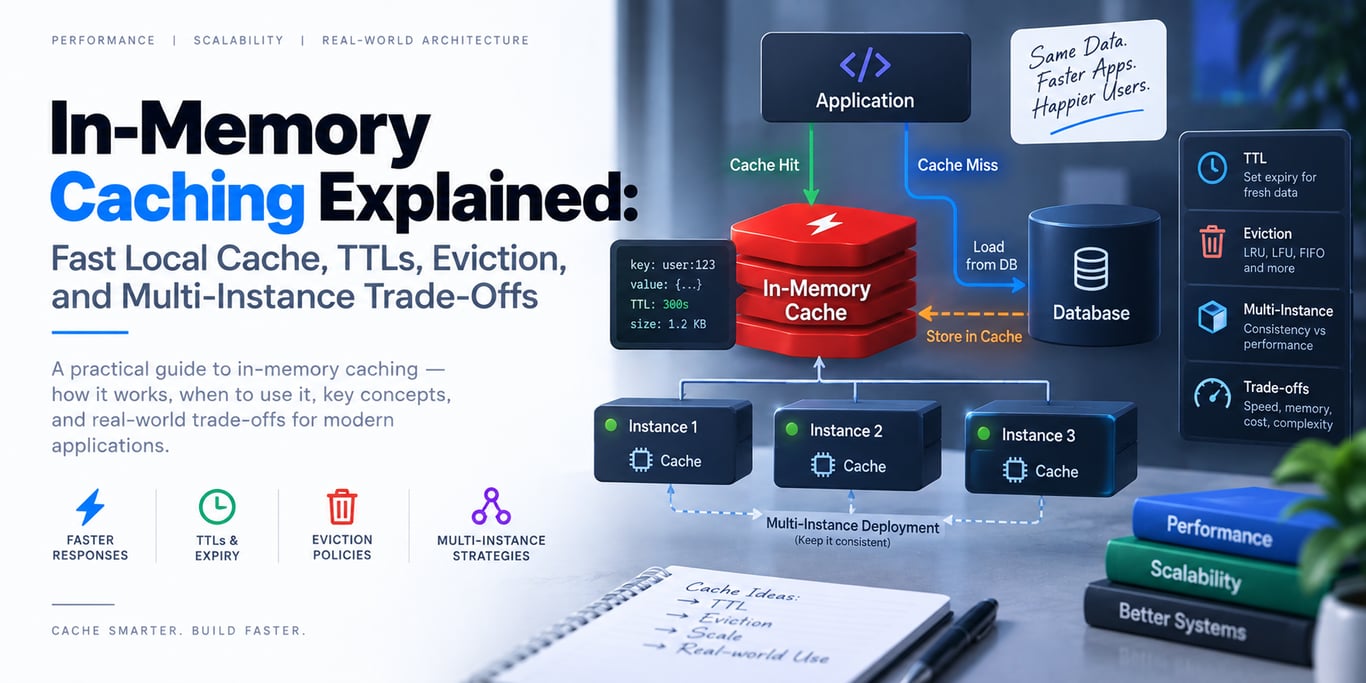
An in-memory cache stores reusable data directly inside the application's own memory. Cache hits are extremely fast because there is no network hop to Redis or another external caching service.
Diagram source
flowchart LR
    R[Request] --> C{Local Memory Cache}
    C -->|Hit| A[Application]
    C -->|Miss| D[(Database / API)]
    D --> C
    C --> A
When Local Caching Is a Great Fit
Use it for small, frequently reused values such as:
- configuration snapshots
- reference/lookup data
- expensive pure computations
- metadata that can tolerate short staleness
The value should be safe to lose when the process restarts.
Bound Memory Explicitly
A cache must not behave like an unbounded map. Mature cache libraries support size/weight limits and automatic eviction.
Common policies consider recency/frequency, while time-based expiration can remove stale entries after a TTL or inactivity period.
Monitor cache size, evictions, process memory, hit rate, and garbage-collection pressure.
Multi-Instance Apps See Different Caches
With three API replicas, you also have three independent local caches:
API A → cache A
API B → cache B
API C → cache C
An update on A does not automatically invalidate B and C. Microsoft explicitly recommends a distributed cache when non-sticky multi-server applications need shared consistency.
Use local cache only when that per-instance staleness is acceptable or you have a reliable invalidation mechanism.
Process Restarts Clear Everything
Deployments, crashes, autoscaling, and restarts wipe local cache state. Warm-up should be safe, and the database/origin must remain authoritative.
Never store critical durable sessions, billing state, locks, or irreplaceable data only in local memory.
Avoid Duplicate Expensive Loads
A hot key expiring can make many requests perform the same expensive refresh concurrently. Use a single-flight/coalescing mechanism where a cache miss is costly.
Final Takeaway
In-memory caching is the lowest-latency caching layer, but it is local and disposable. Use it for small hot data, bound its memory, define expiration, and move to a distributed cache when multiple replicas truly need one shared view.
References
BUILDING AN AI PRODUCT?
Talk to Lofingo about custom autonomous AI agents, enterprise workflow automation, and scalable software systems.
EXPLORE AI SERVICES →